

Wireless networking equipment is cheap, convenient and widespread. If you want to connect computers in your home, is it really worth doing it with wires?
The answer, surprisingly, is yes. And you don't need to pull the wires through the house either: They're already there. I'm talking about turning the electrical wiring into a computer network.
The technology has been around for several years but has never really taken off, because the wireless technology known as Wi-Fi allows for more mobility and greater speeds.
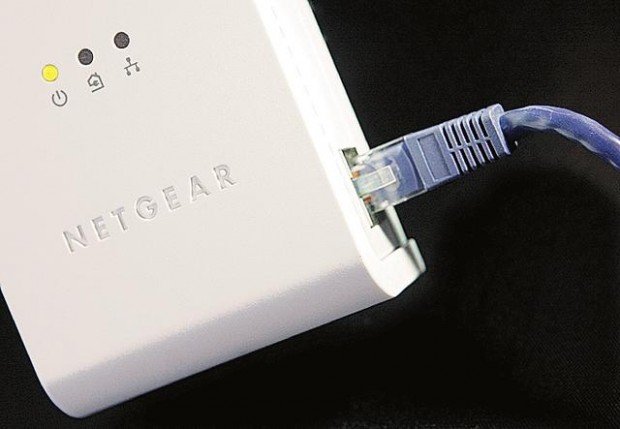
Netgear Inc.'s new HDX101 Powerline HD Ethernet Adapter (suggested price $250) closes that speed gap and provides some advantages that make it a worthy complement to Wi-Fi, if perhaps not a replacement.
The basic kit consists of two adapters, each half the size of a trade paperback. Setup is much easier than configuring a wireless network.
People are also reading…
You plug one adapter into a wall outlet and connect it with a supplied Ethernet cable to your Internet router.
You plug the other adapter into a wall outlet somewhere else in the house. Connect your computer to that adapter with another Ethernet cable. The PC is now online.
That's it: There's no software to install (at least for this basic setup), and it works with any computer that has an Ethernet port, which is pretty much all of them, Mac or PC. It will also work with Xbox video-game consoles, for online gaming, or devices that transfer computer audio, video and other media to your stereo or TV.
You can buy single adapters for $130 to expand the network.
In use, the powerline network acts more like a wired Ethernet network, like you'll find in an office or on campus, than a wireless network. As soon as you plug the computer into the Ethernet port, you're connected — there's no hunting around for Wi-Fi networks or telling your computer not to connect to the neighbor's router.
When it comes to speed, the HDX101 is either very satisfactory or a big disappointment. Netgear's sales materials say it's theoretically capable of 200 megabits per second, but that number is theoretical. You won't see it in practical use. Now for the downsides:
● At $250 for two adapters, it's much more expensive than Wi-Fi. You still need a router, which now usually comes with Wi-Fi capability anyway.
● The adapters can't be plugged into surge protectors or extension cables, which kill the signal. They have to be plugged straight into the wall.
● The supplied Ethernet cables are just 6 feet long. Replacement cables add to the cost.
● The connection is not as fast or predictable as you'll get by wiring the house with Ethernet cables. In my test, a "100 mbps" Ethernet router put through 71 mbps, twice as much as the powerline gear.
● You lose some of the mobility of Wi-Fi (but it's easy to move the adapters around in the house).
● Neighbors may be able to tap into your network if they use the same gear. To prevent that, you can change the settings on your adapters, but only from a Windows PC.